
Advertisement
Click to download now, finish the installation quickly, and directly unlock the all-round experience
Advertisement
Screenshots
Click to download now, finish the installation quickly, and directly unlock the all-round experience
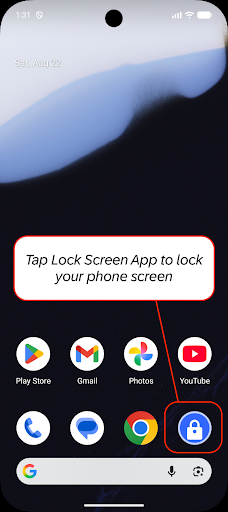
Lock Screen is a small Android utility from olalab that gives you an on-screen way to turn off and lock your phone. It suits people who find the hardware button awkward to press, or who would rather avoid using it for this routine action. Its job is narrow: it is not a replacement for your lock screen or a general phone-customisation tool.
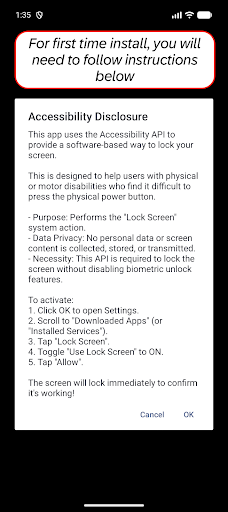
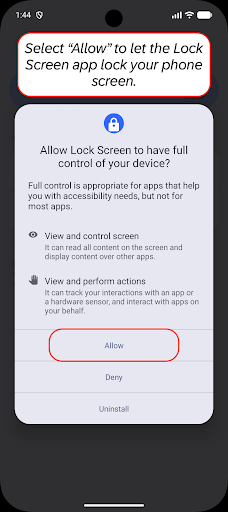
To carry out a system-level lock, the app needs elevated access. The developer says it uses Android’s Accessibility Service for this action, including on Android 9 and later, so biometric unlocking remains available. On older Android versions, it may instead use Device Administrator permission. These are meaningful permissions to review before enabling; they give the app authority beyond an ordinary home-screen shortcut. The developer says the Accessibility Service is used only to lock the screen and does not collect, store or share personal or sensitive data through it.
The first-use decision is less about learning features and more about whether you are comfortable granting the access your Android version requires. If you only need to lock the phone occasionally, pressing its physical button may be simpler. If reaching that button is difficult, or you want another way to avoid pressing it repeatedly, this app addresses that specific need. It does not remove the need for your usual screen lock or change how you authenticate.
Lock Screen has 10,000,000+ installs and a 3.7 rating from 20,090 ratings. That suggests a widely used utility with a mixed reception, rather than a universally dependable fit. The core purpose is easy to judge: an accessible screen-lock action in exchange for granting the required system access. If you later remove the app, the developer’s instructions say Device Administrator access must first be switched off in Android settings when that permission was used.